Actipro UIStudio - Windows Forms .NET Control Suite
UIStudio Includes:
Quick Options:
What is Actipro UIStudio?
Actipro UIStudio contains our next generation of bar and docking controls, which provides all the latest
docking toolbar, menu, tool window, and document window functionality found in VS.NET 2005 and Office 2003.
UIStudio also contains great TabStrip and NavigationBar controls.
Check out this suite of high-quality user interface controls that will grow over time.
By combining UIStudio with our other products, such as SyntaxEditor, you'll have a complete solution for adding rich UI functionality
to your application.
UIStudio is based off of the same WinUICore framework that SyntaxEditor and Wizard use.
This enables completely customizable renderering and an improved licensing model.
Controls Included
Bar Controls
UIStudio's Bar controls
provide nearly all of the new bar user interface features found in Office 2003 and Visual Studio 2005.
This includes dockable toolbars, standalone toolbars, popup menus, and statusbars.
The entire bar control system takes a different approach to design and implementation than other competitors.
The design of Actipro's bar controls is geared towards large applications, with a command / command link design pattern.
Several high-level features include docking on any side of a host, multiple command link styles, layout save/restore,
designer support, full run-time end-user customization support, a powerful keyboard shortcut model,
multiple built-in rendering styles, programmatic control over the bar layout, and much more.
Bar controls in the Office 2003 blue style
Dock Controls
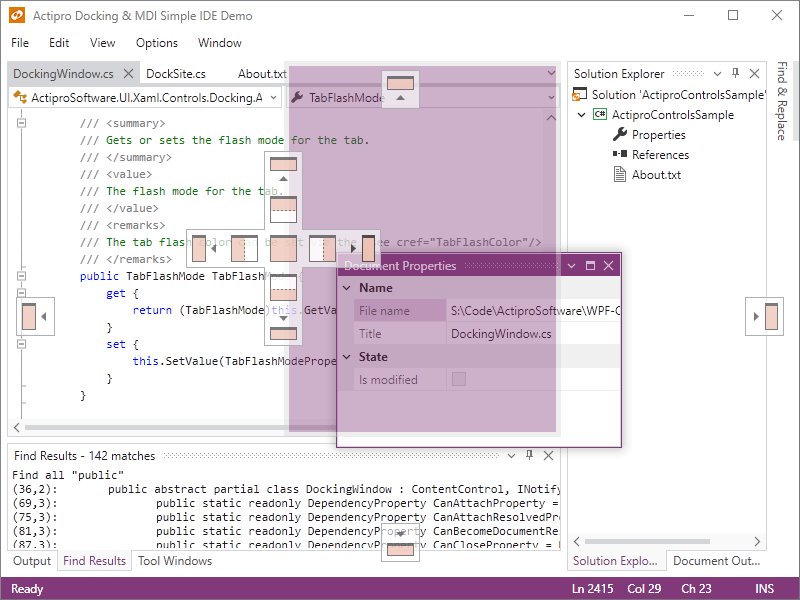
UIStudio's Dock controls
provide all the latest functionality of docking tool windows and multiple styles of document MDI found in Visual Studio 2005.
Ths includes features like tear-off tool windows that can be docked in nested hierarchies, dock guides,
next window navigation, auto-hide, tool window inner-fill,
layout save/restore, document windows, standard and tabbed MDI, multiple tab groups, designer support,
multiple built-in rendering styles, a robust object model that gives you complete programmatic control over the dock layout, and much more.
Multiple rendering styles including the latest Visual Studio 2005 style
TabStrip
|
UIStudio's TabStrip
control provides a complete alternative to the standard TabControl found in the .NET framework.
The features of TabStrip
include alignment of tabs to any side, optional display of close and/or options buttons, several modes
of tab overflow handling including one for smooth scrolling of tabs, drag/drop reordering of tabs, designer support,
multiple built-in rendering styles, and more.
|
TabStrip control
|
NavigationBar
|
UIStudio's NavigationBar
control duplicates all the functionality of the navigation bar introduced in Outlook 2003.
It has an elegant user interface which uses buttons to control which navigation pane is selected.
Features include buttons with single-click access to each pane, an overflow chevron button providing access
to customization features and hidden buttons, a ready-to-use Navigation Bar Options dialog, support for large and small images,
a separate NavigationBarPanel control that can act as a container,
designer support, multiple built-in rendering styles, and more.
NavigationBarPanel control
|
NavigationBar control
|
|