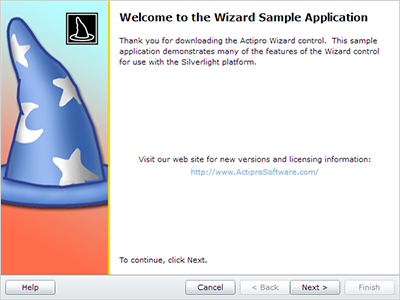
The order or sequence of the pages pages in the Actipro Wizard can be easily customized and manipulated, giving you complete control. There are also several visually appealing transitions which will really make your application stand out.
The Wizard control has many helpful features for setting up the sequence in which pages will be visited.
By default, pages will be visited in the other that they are defined in the wizard. While this linear sequencing works in many situations, the order of the pages can be easily customized to achive much more complex sequences.
For every Wizard page you can override the default page sequencing by specifying the next and previous page to visit. The next and previous page can be specified by reference, name, or index.

This allows for circular sequences, which is helpful when a given step may need to be repeated several times.
The Wizard control offers two types of automatic sequence handling when navigating backwards through the pages by clicking the Back button. The normal sequence types simply navigates linearly through the pages, while still respecting the previous page setting.
The stack sequence type is more advanced and tracks all the pages visited by the end-user in order. This allows the end-user to easily navigate backwards through the wizard, even when a given page may have been visited more than once.

Any pages that are disabled will be skipped by the default page sequencing. This makes it easy to "turn off" pages, as needed, based on any custom logic.

The selected item/page in the Wizard control can be easily changed programmatically, as well as through several cancellable selection change events.
The selected item in the Wizard control can easily be set by reference or by index. These properties can also support data binding, which makes it easy to integrate into MVVM applications.
Whenever a selected page change occurs, regardless of what caused it, numerous events fire. The event sequence is designed so that you can process the selection change events at either the wizard or page-specific levels.
Several changing events are the first events raised after a page change request, both on the Wizard control as well as the appropriate pages. These events can be used to cancel or customize the page change operation, thus preventing the user from navigating away from the given page.
If the page change operation is not cancelled, then a similar series of page changed events will be raised. Page changed events are a great place to add code to initialize a page that is about to be displayed.
Wizard supports numerous types of animated transition effects to add some extra dazzle to your wizard dialogs during selected page changes.
Different transitions may be applied to forward progress page changes and backward progress page changes. This allows you to perform a certain transition effect in one direction for forward movement through pages, and apply it in the opposite direction for backward movement through pages.
You have full control over the duration of forward and backward transitions, the default "direction" they should use, and which transitions should be used. Included classes make it easy to use a single transition, randomly pick a transition from a list, or write your own logic to select a transition based on the "from" and "to" pages.
There are numerous built-in transitions that are available for use including:
Custom transitions can easily be built programmatically or in XAML as well.
Here are samples of three of the most popular transition effects, and how they appear before, during, and after a page change.