Skip Navigation LinksActipro Software / Products / .NET Controls / Windows Forms / SyntaxEditor / .NET Languages Add-on / Implementation Details

Product Details

.NET Languages Add-on
Advanced C# and Visual Basic language implementations for use with the SyntaxEditor control

Sold separately from SyntaxEditor... see special licensing notes for details

Latest Release:
v4.0.0277 on 10/13/2008

Supported Environments:
.NET 1.1 - 3.5
VS.NET 2003 - 2008

Blueprint License:
Source code is available for this product

Product Newsletter

If you would like to receive periodic informative newsletters about our new .NET controls and events, please fill out the following information.
Name:
 
E-mail Address:
 
Where did you hear about our products?
 

Actipro SyntaxEditor .NET Languages Add-on

Feature Tour:

Implementation Details

So how does the .NET Languages Add-on accomplish such a rich set of features for C# and Visual Basic? Well, to be blunt, it's not easy. Implementation of the C# and Visual Basic languages have taken a lot of time, even with the many new features found in SyntaxEditor 4.0.

First, programmatic lexical parsers were written to perform the lexical parsing of C# and Visual Basic code. Since each programmatic lexical parser is optimized its language's style of code, it performs faster than a "dynamic" (name for v3.1 style) language ever could be. The C# and Visual Basic programmatic parsers in the .NET Languages Add-on runs several times faster than the related dynamic lexical parsers.

Second, the add-on took advantage of the enhanced SyntaxLanguage object model, where the language classes can override various methods to provide their functionality and process events for any SyntaxEditors or Documents that use the language. The general idea is that all language-related code is encapsulated within the language class and kicks in automatically at appropriate times when a document is attached to the language. Features like smart indent, code block selection, etc. are all encapsulated within the language class.

Third we wrote .NET 2.0 grammars that work with the SyntaxEditor parser generator to generate a semantic parsers using LL(k) algorithms. These semantic parser classes are used to perform the semantic parsing of a code document. While parsing a document, they builds an AST (abstract syntax tree) of the document, which is essentially a document outline. Then that AST can be saved back to the document and used later for determining context or for knowing what to display in IntelliPrompt. Designing a semantic grammar is no trivial task. In fact for us to implement the C# 2.0 grammar, it took weeks of work. However without our parser generator framework, it would have taken much longer.

Fourth, there is a new semantic parser service that queues up requests and parses documents in a separate thread. It starts after a document modification occurs. The document is parsed in a separate thread using the semantic parser and the compilation unit result is returned to the document when the processing is complete. Since it is in a separate thread, it doesn't affect the user interface performance.

Fifth, outlining is updated based on the the AST that is generated by the semantic parser.

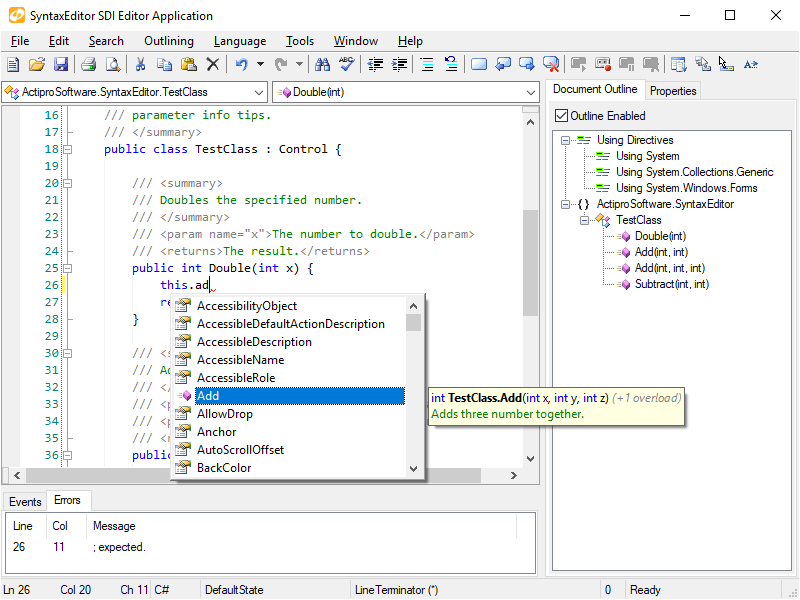
Sixth, syntax errors reported in the compilation unit can be denoted by wave line span indicators in the document. In addition, the errors may be listed in an Error List listbox.

Seventh, an attached type/member drop-down list along with a document outline TreeView can be updated to reflect the current contents and context of the document.

Eighth, the .NET reflection repository is updated to store the compilation unit of the code document. This enables IntelliPrompt not only on referenced assemblies but on the code being edited as well.

Those core features in a nutshell are what enable all the powerful features we've developed for our advanced .NET Languages Add-on. These features are implemented for both C# and Visual Basic.