Skip Navigation LinksActipro Software / Products / .NET Controls / Windows Forms / SyntaxEditor

Product Details

Actipro SyntaxEditor
A syntax highlighting source code editing control

Latest Release:
v4.0.0281 on 03/13/2009

Supported Environments:
.NET 2.0 - 3.5
VS.NET 2005 or 2008

Blueprint License:
Source code is available for this product

SyntaxEditor Add-ons

Advanced C# and VB languages w/automated IntelliPrompt & more
Advanced XML language w/automated IntelliPrompt & more

Product Newsletter

If you would like to receive periodic informative newsletters about our new .NET controls and events, please fill out the following information.
Name:
 
E-mail Address:
 
Where did you hear about our products?
 

Actipro SyntaxEditor - Windows Forms .NET Control

Quick Options:

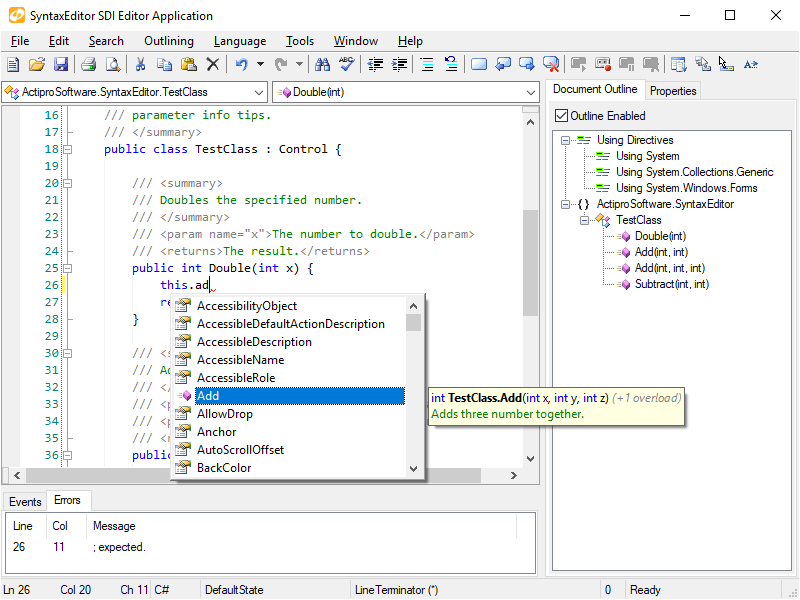
SyntaxEditor is a powerful editing control, similar to a multi-line TextBox, which syntax highlights text and provides an amazing number of state-of-the-art features for code editing. SyntaxEditor is modeled after the code editor in Visual Studio and provides nearly all of its functionality and more. Custom language definitions can be developed and distributed with your applications. While SyntaxEditor is designed for use in IDE (integrated development environment) applications, there are many other applications out there than can take advantage of such a control.

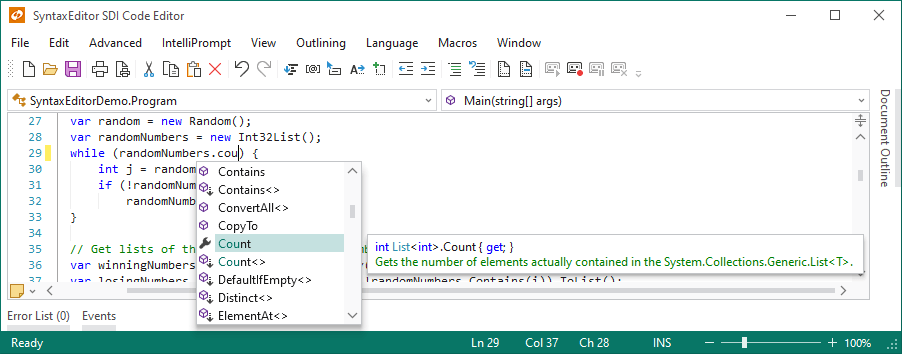
A parameter info tip for the UpdateBounds method, populated by the .NET Languages Add-on

The SyntaxEditor package includes:

  • The SyntaxEditor multi/single line edit control.
  • The Document class, which allows for parsing and manipulation of code documents with or without the use of a SyntaxEditor (separation of UI and parsing model).
  • The extensible SyntaxLanguage class, which provides a self-contained way to handle advanced language parsing and processing.
  • The SyntaxEditor parser generator that helps construct a robust semantic parser for languages in either C# or VB.NET.
  • The semantic parser service that can perform semantic parsing operations in a separate worker thread.
  • An object model for building and manipulating an AST (abstract syntax tree) of a code document.
  • A custom backtracking NFA regular expression engine, used as the backbone for dynamic language lexical parsing and find/replace operations.
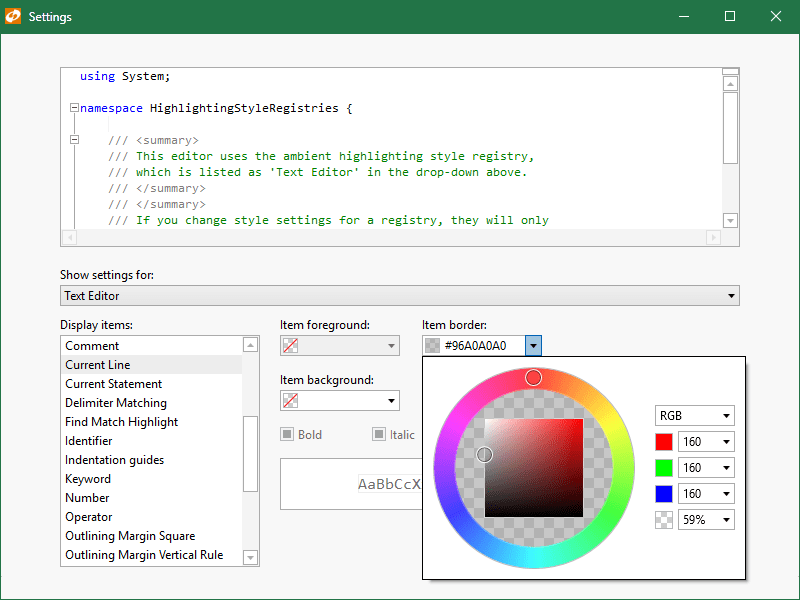
  • The TextStylePreview control that visualizes highlighting styles, and the FontDropDownList that allows for easy font selection.
  • Many free dynamic language XML definitions for common languages such as C#, VB.NET, HTML, etc.
  • Availability of advanced add-on products, such as the .NET and Web Languages Add-ons, which provide complete parsing and automated IntelliPrompt for C#, VB.NET, and XML.

Want to learn more? Take a feature tour

Features

Editing Features
Text Visualization Features
Appearance Features
  • Extensible renderer model that supports customized rendering and custom draw.
  • Line numbering in line number margin with ability to use custom line numbers.
  • User margin that supports custom drawing.
  • Any type of font is supported, including variable-width fonts.
  • Multiple fonts/sizes supported in the same document.
  • Four-way or two-way split views.
  • Multiple scrollbar visibility settings.
  • Custom EditorView buttons that may be placed on any side of a scrollbar.
  • Single-line mode.
Language/Parsing Features
  • An abstracted and fully extensible syntax language object model.
  • Various syntax language types that let you choose how low-level you wish to get in control of language implementation.
  • Language merging support, like HTML calling CSS, JScript, VBScript, etc.
  • Dynamic language XML definitions, which can be defined using regular expressions.
  • Free dynamic language XML definition samples for common languages like Assembly, Batch files, C#, CSS, HTML, INI files, Java, JScript, Lua, MSIL, Pascal, Perl, PHP, PowerShell, Python, SQL, VB.NET, VBScript, and XML.
  • Lexical parsing of text into tokens, with the ability to write programmatic lexical parsers and define custom token classes.
  • Semantic parsing of tokens, which can output update document tokens, output an AST, or anything else.
  • A semantic parser service that can perform semantic parsing operations in a separate worker thread, thereby reducing the load of the main UI thread.
  • An object model for supporting an AST (abstract syntax trees) representation of a code document.
  • The SyntaxEditor parser generator which accepts a grammar and outputs a C# or VB.NET semantic parser class along with AST node classes.
  • Code fragment editing with full IntelliPrompt, such as editing a method body, when using advanced languages.
  • Case sensitivity and auto-correct.
  • Triggers for handling keypresses while in certain lexical states.
  • Triggers for kicking off auto-replace operations while in certain lexical states.
  • Token-specific highlighting styles enabling custom styles for user-defined keywords in dynamic languages.
File Features
  • Load/save documents directly to files using a specific encoding.
  • Load/save documents directly to a stream using a specific encoding.
  • Works with CR/LF (Windows), CR (Mac), or LF (Unix) line terminators.
  • Ability to export text using any line terminator format.
  • HTML and RTF export.
IntelliPrompt Features
  • Code snippet that mimic Visual Studio 2005 functionality and save/load from the VS format.
  • Member lists with ability to custom draw items.
  • Complete word functionality.
  • Reflection helper methods for adding member list items from .NET types/members.
  • Parameter info tips that allow for mutiple overload display and parameter index tracking.
  • Quick info tips that show detailed information about what is under the mouse.
  • Smart tags that show when the mouse hovers over their indicator, and display a popup when clicked.
Other Features

SyntaxEditor is a .NET control for Windows Forms, completely written in C#.