 Bill Henning (Actipro)
Actipro WinForms Controls v26.1 modernizes the entire product suite with official Visual Studio 2026 and .NET 10 support, comprehensive nullable reference type annotations, and a new shared Core assembly. SyntaxEditor receives significant document model enhancements that preserve original line terminators while improving text storage performance and memory usage. The release also adds flexible context menu customization, faster Bars infrastructure, and numerous designer, DPI, and usability refinements.
See the related announcement post for the detailed list of enhancements and updates.
Here’s a look at some of the new features.
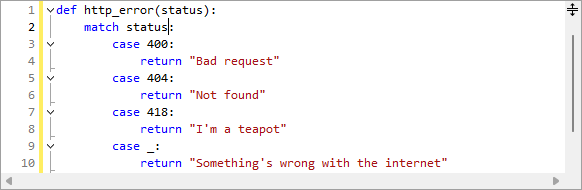
SyntaxEditor
Line Terminator Preservation
SyntaxEditor documents and snapshots now retain the actual line terminators used by source text instead of normalizing them internally to LF. Text retrieval preserves those original line terminators by default, while new APIs make it easy to identify the inferred line terminator, determine whether line endings are uniform, or normalize a document when needed.
Performance and Editing Improvements
The internal document text storage mechanism has been refactored to improve performance and reduce memory usage. Regular expression searches now support non-capturing groups, invalid patterns are clearly identified in the search overlay, and editor context menus better match the active color scheme.
Menu Customization and Bars
New MenuFactory and BarsMenuFactory APIs allow applications to customize or replace contextual menus across Actipro products, including using Bars controls for a consistent menu experience. Bars backend logic now uses generic collections to reduce boxing overhead, and several command APIs and behaviors have also been refined.
Modern Platform Support
All libraries now include .NET 10 targets and official Visual Studio 2026 support.
Nullable reference type annotations have been added throughout the libraries and samples, providing better compile-time feedback when Actipro controls are used in modern C# applications.
Additional Improvements
The release also improves Docking layout restoration in mixed-DPI environments, fixes important Wizard behavior in both modern and legacy Visual Studio designers, enhances IntelliPrompt within C# top-level statements, and adds convenient NavigationBar methods for changing the number of visible buttons.
Due to the new Core assembly being added and other API updates in this major release, please see the Converting to v26.1 documentation topic for upgrade details.