 Bill Henning (Actipro)
Actipro Avalonia Controls v26.2.0 is now available, introducing two new Fundamentals controls that bring motion to changing values and important content. AnimatedTextPresenter makes updates easier to follow, while BorderBeam draws attention to cards, inputs, and panels with animated color and light.
The release also improves Docking/MDI accessibility, adds more control over which Actipro theme styles are loaded, and updates native control themes for Avalonia v12.1.3.
See the related announcement post for the detailed list of enhancements and updates.
Here’s a look at some of the new features.
Fundamentals
AnimatedTextPresenter
A changing dashboard value can be easy to miss when it simply switches from one number to another. AnimatedTextPresenter gives single-line text updates a smooth rolling or fading transition, making it a natural fit for metrics, counters, and status text.
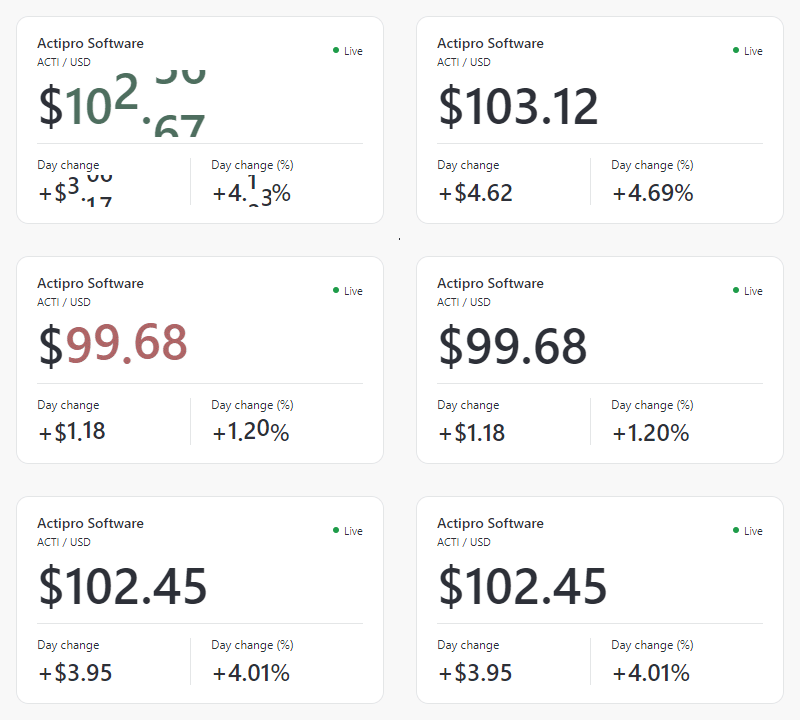
Changing dashboard values roll into place, with color drawing attention to the latest movement.
Numeric values can roll like an odometer, with increasing and decreasing values moving in their respective directions. You can choose whether characters, words, or the whole line transition together, and optionally use temporary colors to emphasize numeric changes.
BorderBeam
BorderBeam surrounds content with a colorful animated border and soft inner illumination. Use it to highlight a status card, important input, or other surface while keeping its content interactive.
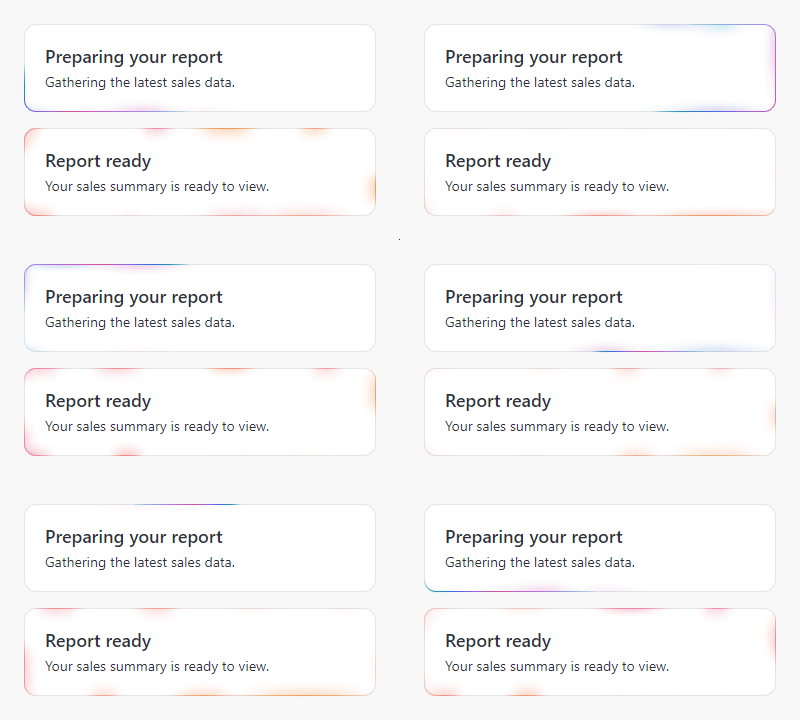
Choose a traveling beam or a pulsing effect, then adjust the colors, motion, and glow to suit your design. Its default palette adapts to light and dark themes, and the effect can be activated when a particular state needs attention.
More in This Release
Badge can now animate changes to string content when animation is enabled.
New ThemeStyleIncludes options let applications selectively load styles for individual Actipro products, and ModernTheme starts faster when native control themes are disabled.
The Shared Library also adds CanvasControl, a primitive for custom rendering and coordinated animation.
Explore both new Fundamentals controls in the Sample Browser to see how they can make changing information and important states clearer in your Avalonia apps.