This version contains many small feature enhancements and quality of life improvements.
See the related announcement post for the detailed list of enhancements and updates.
This version contains many small feature enhancements and quality of life improvements.
See the related announcement post for the detailed list of enhancements and updates.
This version makes many small feature enhancements and quality of life improvements in the WPF Controls.
See the related announcement post for the detailed list of enhancements and updates.
This version adds major new dockable/floating toolbar and advanced main menu functionality to Bars, adds new SyntaxEditor features, implements a huge update in the .NET Languages Add-on to support the latest C# 13 syntax, makes large improvements in C# interpolated string editing, and much more.
See the related announcement post for the detailed list of enhancements and updates.
Here’s a look at some of the new features.
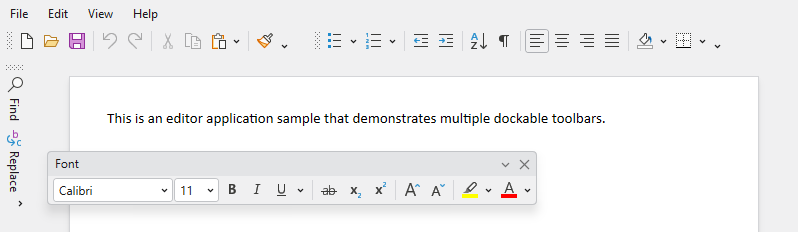
Visual Studio-like toolbars are now available that can be dragged to and docked within any side of a host control. Multiple lines of toolbars are supported in each host side, and multiple toolbars can appear in each line. Toolbars can optionally be floated and moved to other screens as well.
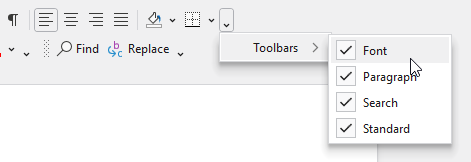
End users can toggle which toolbars are visible.
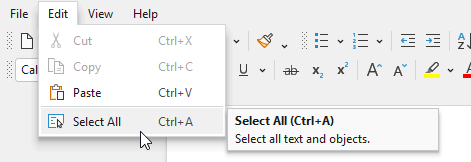
An advanced main menu control supports easy MVVM creation, key tips, and screen tips, similar to other Bars controls. The main menu control pairs well with the new dockable toolbars.

Intra-text adornments can now optionally appear after the tagged text range instead of before. This allows for features such as AI suggestions or contextual information to appear past the last character in a line.
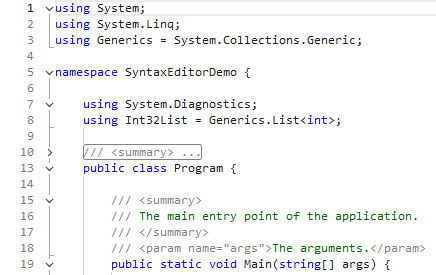
The rendering of the outlining margin has been modernized and now matches the latest Visual Studio code editor appearance.
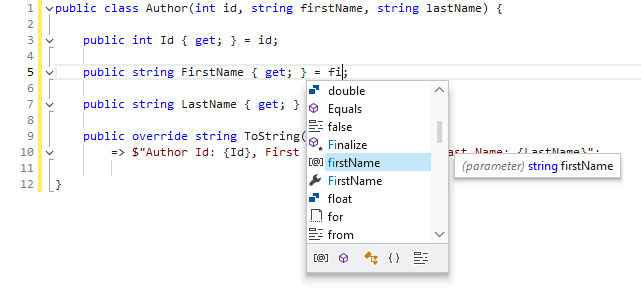
The .NET Languages Add-on’s C# parser previously only supported C# 9 syntax. The updates in this version now support all C# features up to and including C# 13.
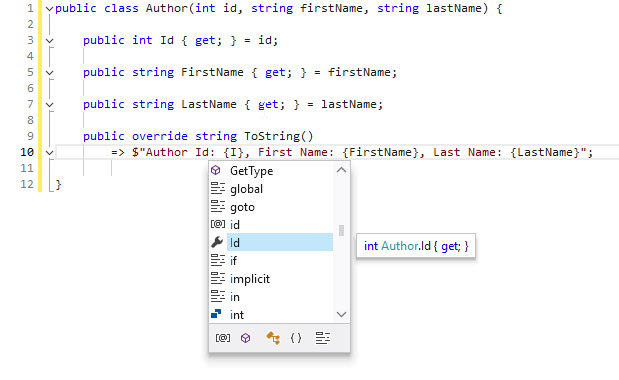
The .NET Languages Add-on’s C# syntax language now syntax highlights interpolated string expressions. It also fully supports IntelliPrompt features within the expressions, making interpolated string editing much better.
A new option allows for tabbed MDI tabs to be hidden when there is a single document in a container.
Updated access keys to jump directly to tabs based on their index number. The Ctrl+9 key will now jump to the last document in the tabbed MDI container, regardless of its index.
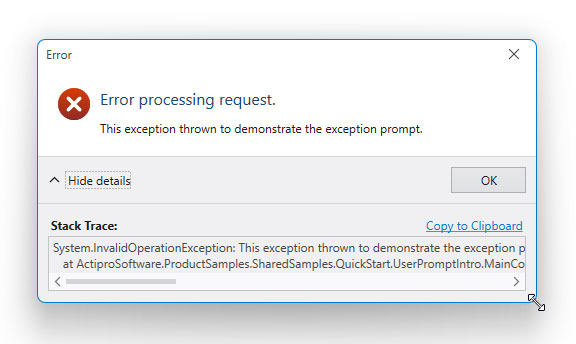
The UserPromptBuilder now has an easy way to configure a user prompt to be resizable.
All assemblies now have a target for .NET 8. Prior .NET Core 3.1 targets were updated to .NET 6 instead, which can be used by those not yet moving to .NET 8.
 Bill Henning (Actipro)
This version contains a large number of updates across the WPF control product line. The largest being a new ShellListView Columns QuickStart with examples on adding checkable items and inserting a custom column, TreeListBox performance and selection updates, and many other various improvements to nearly all products.
See the related announcement post for the detailed list of enhancements and updates.
 Bill Henning (Actipro)
This version contains an enormous number of updates across the WPF control product line.
See the related announcement post for the detailed list of enhancements and updates.